Using Circle CI to upload project to aws

This post is intended to help who already has some idea of these technologies and just need to adjust little things to make their projects works
What we want
The whole idea was
- to build the project in a safe and computer-free environment
- guarantee code is tested and production ready
- send image to aws
- download image to run in a specific machine
Docker helped with first part
So far we have only lint test (for the sake of learning), but let's remember how crucial is to build tests.
To automate lint test it was created a script called lint
"lint": "eslint --max-warnings 0 . && echo 'Lint OK'"
you can find it here
Script to run scripts inside docker container
Let's remember: we are coding using docker, so all tests must be done inside containers.
To make my life easier I created a makefile for that.
example of lint command
docker-compose run --rm --no-deps app yarn lint
run: runs a container--rm: remove container after it stops (so we don't end up our computer mememory space)--no-deps: if we have a database linked for example (or another service) it doesn't run togetherapp: is the service name (as you can see hereyarn lint: there it is, lint command running inside the container.
Run Circle CI
To run it on circle ci I created a config.yml inside .circleci folder on the root of the project
hope this code is self explanatory
From this line at circle ci config file we describe:
- dockerfile from wich the image is going to be made
- path: where dockerfile is found
- profile-name: what is the aws profiile
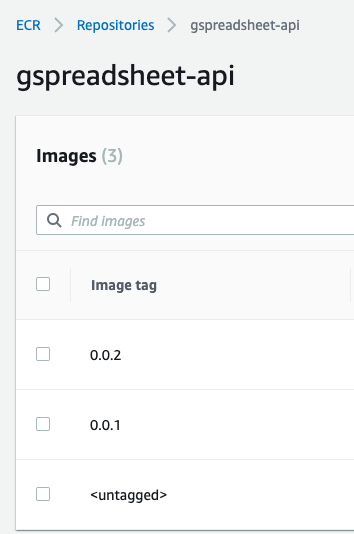
- repo: repository name from aws Elastic Container Registry
- tag: tag (remember to change it whenever your'e uploading a new image, otherwise the image on aws which has the same tag will lost it.)
AWS auth on Circle CI
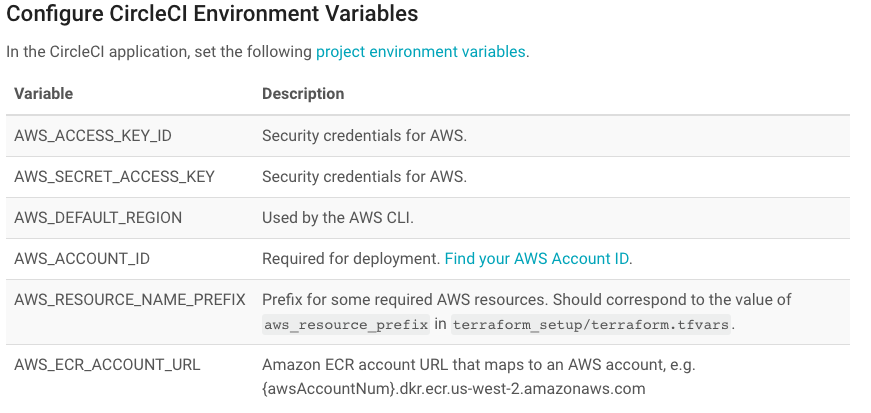
Here I consider you know how to create a profile to upload images on ECR. You can check Link section for help. With a profile we need to set up some variables inside Circle CI
So go to your project settings --> environment variables and put these ones:
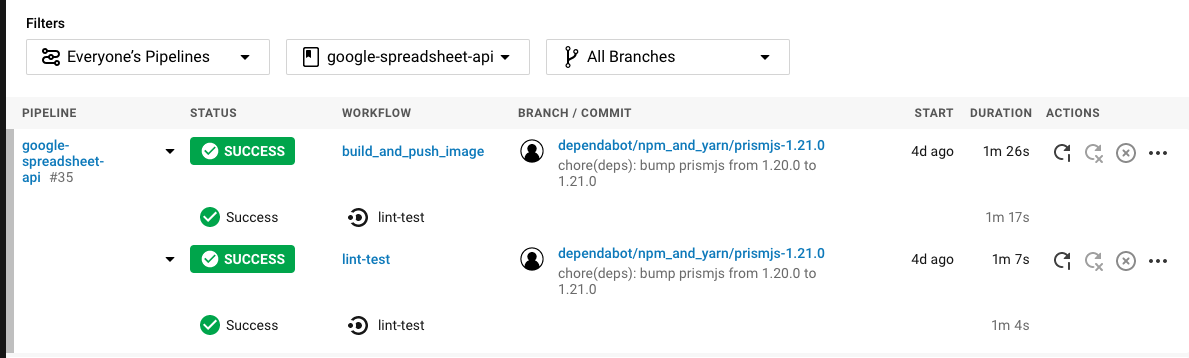
Aaand maybe all will be fine:
Links
- Getting started with Amazon ECR using the AWS CLI
- AWS CLI - Configuration Basics
- What is IAM?
- Circle CI - Deploying to AWS ECR/ECS
- CircleCI and AWS
- Using Environment Variables
The end
Any doubts you can reach me out at reisneto.alvaro@gmail.com
see ya!